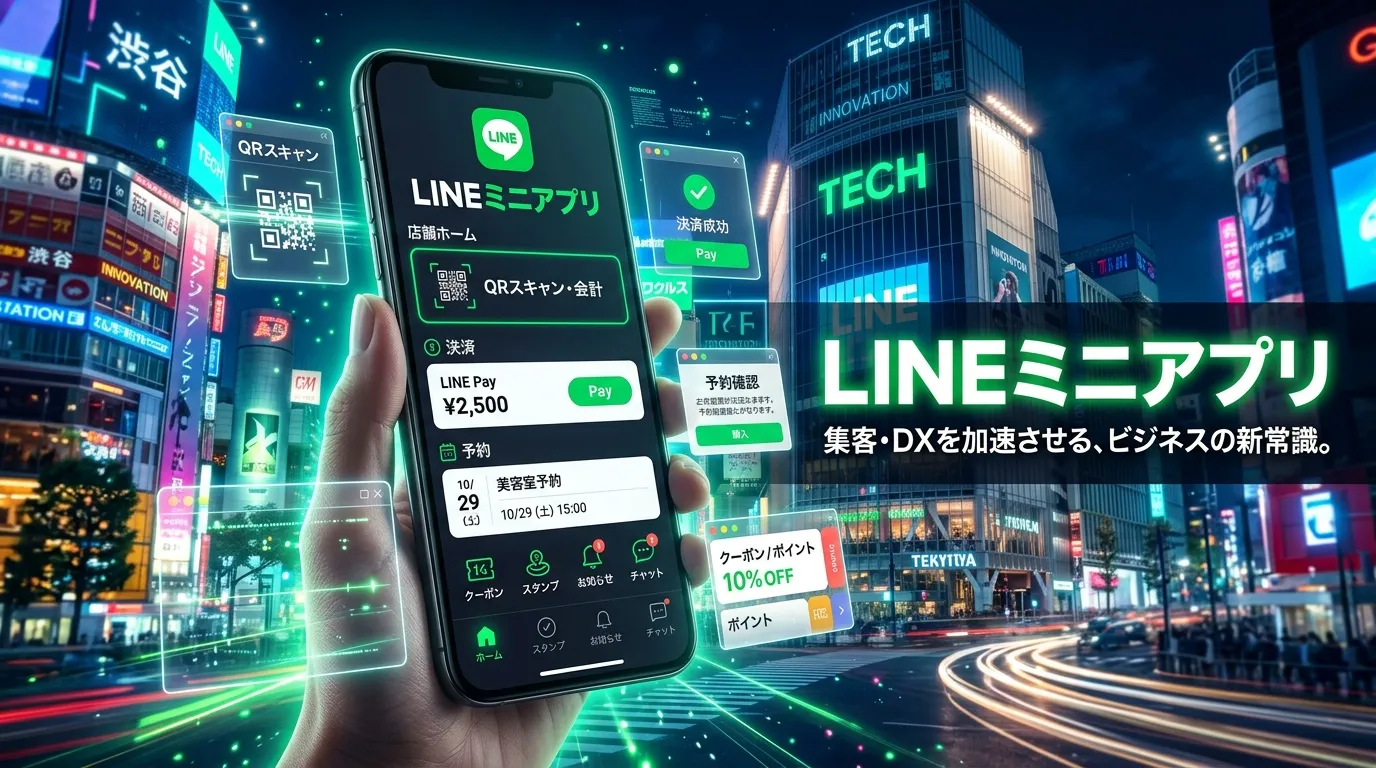
I still remember the first time I heard about “Lineミニアプリ.” At first, I thought it was just another app feature that people were talking about online. But when I started exploring it myself, I realized how useful and interesting it actually was.
I was struggling to find a simple way to connect services directly inside LINE without downloading too many separate apps. That’s when I discovered Lineミニアプリ, and honestly, it completely changed the way I used the platform.
I remember telling my friend about it, and we both spent hours testing different mini apps together. If you’ve ever felt confused about how Lineミニアプリ works or why so many people are using it, trust me I had the same questions in the beginning. But once I understood it properly, everything became much easier and more convenient.
What Is a LINE Mini App?
A LINE Mini App is a lightweight web application that runs directly inside the LINE app. Instead of downloading a separate mobile app from the App Store or Google Play, users can access services instantly through LINE.
These mini apps are designed to provide smooth mobile experiences while reducing friction for users. Businesses can use them for reservations, food ordering, loyalty systems, customer support, digital memberships, and much more.
Unlike traditional apps, LINE Mini Apps work inside the existing LINE ecosystem, making them easier for customers to access and use.
How LINE Mini Apps Work
The process is simple:
- A user scans a QR code or taps a LINE link.
- The Mini App opens instantly inside LINE.
- The user logs in automatically using their LINE account.
- The customer can interact with the business immediately.
This creates a fast and convenient experience without requiring additional downloads.
Why LINE Mini Apps Are Becoming Popular
No App Installation Required
One of the biggest reasons businesses love LINE Mini Apps is that users do not need to install anything. Traditional mobile apps often lose users during the installation process. LINE Mini Apps remove that barrier completely.
This leads to:
- Higher conversion rates
- Faster customer onboarding
- Better user retention
- Improved customer satisfaction
Mobile-First Consumer Behavior
Modern consumers expect convenience. They want services that work instantly on their smartphones. LINE Mini Apps provide a mobile-first experience that feels natural and easy to use.
Growth of Super Apps
Across Asia, super apps are becoming extremely popular. Instead of using multiple applications, people prefer platforms where messaging, shopping, payments, and services exist together. LINE follows this same super app model.
Better Customer Engagement
Because LINE Mini Apps are integrated with messaging, businesses can communicate directly with customers through notifications, promotions, reminders, and updates.
Key Features of LINE Mini Apps
LINE Login Integration
Users can log in instantly using their LINE accounts. This eliminates long registration forms and improves user convenience.
Benefits include:
- Faster access
- Secure authentication
- Better personalization
- Simplified customer management
QR Code Access
Businesses can place QR codes in stores, advertisements, menus, or websites. Customers simply scan the code to open the Mini App immediately.
This is especially useful for:
- Restaurants
- Retail stores
- Events
- Clinics
- Hotels
Online Reservations and Booking
LINE Mini Apps are widely used for:
- Restaurant reservations
- Salon appointments
- Clinic scheduling
- Event registration
- Hotel bookings
Customers can book services directly inside LINE.
Mobile Ordering Systems
Restaurants and cafes often use LINE Mini Apps for:
- Table ordering
- Takeaway orders
- Contactless ordering
- Delivery systems
This improves operational efficiency and customer convenience.
Loyalty Programs and Membership Cards
Businesses can create digital loyalty systems where customers:
- Earn points
- Redeem rewards
- Access membership benefits
- Receive personalized offers
Digital loyalty programs help increase repeat customers.
Payment Integration
LINE Mini Apps support digital payments through LINE Pay and other payment systems. This creates a smooth checkout experience.
Push Notifications and Messaging
Businesses can send:
- Promotions
- Appointment reminders
- Discounts
- Product updates
- Personalized offers
Direct communication improves engagement and customer retention.
Benefits of LINE Mini Apps for Businesses
Lower Development Costs
Building a native iOS and Android app can be expensive. LINE Mini Apps are usually faster and cheaper to develop because they use web technologies.
Businesses save money on:
- Development
- Maintenance
- Updates
- App store management
Better User Experience
Since users already use LINE daily, interacting with a Mini App feels natural and familiar.
Customers enjoy:
- Faster access
- Simpler navigation
- Instant functionality
Increased Customer Retention
Mini Apps allow businesses to stay connected with users through the LINE ecosystem. This increases repeat engagement and long-term customer relationships.
Faster Digital Transformation
Businesses can quickly launch digital services without building a complete mobile application from scratch.
Industries Using LINE Mini Apps
Restaurants and Cafes
Restaurants use LINE Mini Apps for:
- QR code menus
- Online ordering
- Reservations
- Loyalty systems
- Digital payments
Retail Stores
Retail brands use Mini Apps for:
- Product catalogs
- Membership cards
- Promotional campaigns
- Customer engagement
Beauty Salons
Salons use them for:
- Appointment scheduling
- Customer management
- Promotional messaging
Healthcare and Clinics
Healthcare businesses use Mini Apps for:
- Appointment booking
- Patient reminders
- Online check-ins
Events and Entertainment
Event organizers use them for:
- Ticket booking
- Event registration
- Digital passes
E-commerce Businesses
Online stores use LINE Mini Apps for:
- Customer support
- Product browsing
- Personalized recommendations
- Promotions
LINE Mini Apps vs Traditional Mobile Apps
Installation Requirements
Traditional apps require downloading and installation. LINE Mini Apps work instantly inside LINE.
Development Costs
Native apps often require separate iOS and Android development teams. Mini Apps can be built more efficiently using web technologies.
User Accessibility
LINE Mini Apps reduce friction because users already have LINE installed.
Maintenance Complexity
Traditional apps require frequent updates through app stores. Mini Apps are easier to update because they run on web infrastructure.
Which Is Better?
For many small and medium businesses, LINE Mini Apps are a smarter and more affordable solution. However, larger businesses with highly advanced functionality may still prefer full native applications.
How LINE Mini Apps Work Technically
LIFF (LINE Front-end Framework)
LIFF is the technology framework that powers many LINE Mini Apps. It allows developers to create web applications that run inside LINE.
APIs and SDKs
Developers can integrate:
- LINE Login API
- Messaging API
- Payment APIs
- Notification systems
Frontend Technologies
Most LINE Mini Apps are built using:
- HTML
- CSS
- JavaScript
- React
- Vue.js
Backend Infrastructure
Businesses may use cloud services and databases to store customer information, orders, and analytics.
How to Create a LINE Mini App
Step 1 — Create a LINE Developers Account
Developers first register on the LINE Developers platform.
Step 2 — Configure LINE Login
This enables secure user authentication.
Step 3 — Set Up LIFF
Developers create a LIFF application connected to their LINE account.
Step 4 — Build the Frontend
The user interface is designed using modern web technologies.
Step 5 — Connect APIs
Developers integrate payment systems, messaging APIs, booking systems, and analytics tools.
Step 6 — Testing and Optimization
The Mini App is tested for:
- Mobile responsiveness
- Speed
- Security
- User experience
Step 7 — Launch and Marketing
Businesses promote their Mini Apps using:
- QR codes
- Social media
- LINE Official Accounts
- Offline marketing
LINE Mini App Development Cost
The cost of building a LINE Mini App depends on complexity and features.
Basic Mini Apps
Simple applications with basic functionality may cost significantly less than full mobile apps.
Advanced Mini Apps
Custom integrations, payment systems, AI features, and analytics increase development costs.
Factors Affecting Pricing
Development costs depend on:
- Features
- UI UX design
- API integrations
- Backend systems
- Security requirements
- Maintenance needs
Best Use Cases of LINE Mini Apps
Restaurant Ordering Systems
Customers can scan a QR code, place orders, and pay without waiting for staff.
Loyalty Programs
Businesses can reward repeat customers through digital memberships and point systems.
Booking Platforms
Customers can schedule appointments instantly.
Customer Support Systems
Businesses can provide automated customer service directly inside LINE.
Event Registration
Users can register for events, receive updates, and access tickets.
Common Challenges and Limitations
Dependency on LINE Ecosystem
Businesses rely heavily on the LINE platform and its policies.
API Restrictions
Some advanced features may have platform limitations.
UX Design Challenges
Designing excellent mobile experiences still requires professional UX planning.
Security and Privacy Concerns
Businesses must handle user data carefully and comply with privacy regulations.
SEO and Marketing Strategies for LINE Mini Apps
QR Code Marketing
Place QR codes on:
- Menus
- Posters
- Product packaging
- Advertisements
Push Notification Campaigns
Use personalized notifications to increase engagement.
Loyalty-Based Marketing
Reward programs encourage repeat purchases.
Social Media Promotion
Promote your Mini App across social platforms and websites.
Future of LINE Mini Apps
AI Integration
Future Mini Apps may include:
- AI chatbots
- Personalized recommendations
- Automated support
Omnichannel Commerce
Businesses will combine online and offline experiences more effectively.
Personalized Customer Experiences
Data-driven personalization will improve customer engagement and conversions.
Expansion of Super Apps
Super app ecosystems are expected to continue growing throughout Asia and globally.
Tips for Building a Successful LINE Mini App
Keep the Experience Simple
Users prefer fast and easy interfaces.
Optimize for Mobile Devices
Always prioritize smartphone usability.
Reduce User Steps
The fewer clicks required, the better the conversion rate.
Use Strong Calls to Action
Guide users clearly toward bookings, purchases, or registrations.
Analyze User Behavior
Use analytics to improve the customer experience continuously.
FaQs:
What is a LINE Mini App?
A LINE Mini App is a lightweight application that runs directly inside the LINE messaging platform without requiring a separate download.
Are LINE Mini Apps free?
Access to the platform may be free, but development, hosting, and integrations can involve costs.
Can small businesses use LINE Mini Apps?
Yes. Restaurants, salons, retail stores, and clinics commonly use them.
Do LINE Mini Apps support payments?
Yes. Many Mini Apps integrate with LINE Pay and other payment systems.
What technologies are used to build LINE Mini Apps?
Developers typically use HTML, CSS, JavaScript, React, Vue.js, APIs, and LIFF technologies.
How long does development take?
Simple apps may take a few weeks, while advanced systems can require several months.
Final Thoughts
LINE Mini Apps are transforming how businesses connect with customers in the mobile-first era. They offer fast access, lower development costs, stronger customer engagement, and seamless digital experiences without forcing users to download additional apps.
For restaurants, retailers, clinics, salons, and e-commerce brands, LINE Mini Apps provide an efficient way to modernize customer interactions while remaining cost-effective.
As super apps continue to grow across Asia and beyond, businesses that adopt lightweight digital experiences like LINE Mini Apps will be better positioned for future success.

Dan Brown is a writer fascinated by the hidden power of everyday words. For MessegeType, he crafts clever, surprising messages — from romantic notes to words of celebration — that say exactly what your heart feels.