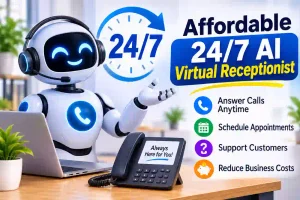
A free AI receptionist is an automated phone assistant that answers business calls, responds to common questions, takes messages, and helps manage customer inquiries without a human receptionist. Some providers offer permanent free plans, while others provide limited free trials with features such as call forwarding and appointment scheduling.
Key Takeaways
- A free AI receptionist can answer calls and handle basic customer questions automatically.
- Some providers offer free monthly usage, while others provide time-limited trials.
- Small businesses can use AI receptionists to capture leads and reduce missed calls.
- Always check call limits, phone number options, integrations, and hidden fees.
- Test the assistant with real customer questions before relying on it.
free ai receptionist
Introduction
Missing customer calls can cost a business valuable leads, appointments, and sales. However, hiring a full-time receptionist may not fit every small business budget.
That’s where a free AI receptionist can help. It uses artificial intelligence to answer incoming calls, respond to common questions, collect customer details, and sometimes schedule appointments.
Many business owners search for free AI receptionist software because they want professional phone support without adding another monthly expense. The good news is that some companies offer free plans, while others let you test their services before paying.
In this guide, you’ll learn how free AI receptionists work, what features to look for, how businesses can use them, and what limitations to consider before choosing a service.
What Does “Free AI Receptionist” Mean?
A free AI receptionist is a virtual phone assistant that uses artificial intelligence to communicate with callers without requiring a human employee to answer every call.
It can understand spoken questions, provide business information, collect contact details, and direct callers to the right person.
Businesses commonly use this technology to manage incoming calls during busy hours, evenings, weekends, and holidays.
For example, a customer might call a plumbing company to ask about service availability. Instead of waiting for an employee, the AI receptionist can collect the customer’s details and explain the next steps.
The word “free” can mean different things depending on the provider. It may refer to a permanent free plan, a limited number of calls, starter credits, or a temporary free trial.
Why Use a Free AI Receptionist?
A free AI receptionist gives small businesses an opportunity to explore automated customer service without making an immediate financial commitment.
Here are some important benefits:
- Reduce missed calls: Answer incoming calls when employees are busy.
- Save money: Test automated answering before hiring additional staff.
- Provide 24/7 support: Give callers access to basic information outside business hours.
- Improve customer experience: Respond to common questions without unnecessary waiting.
- Capture leads: Collect names, phone numbers, and service requests.
- Save employee time: Reduce repetitive phone conversations.
For startups, independent professionals, and small companies, these benefits can make everyday communication easier.
10 Best Features to Look for in a Free AI Receptionist
Not every free AI receptionist offers the same capabilities. Before choosing a platform, check whether it includes the following features.
1. Automatic Call Answering
The most important feature is automatic call answering. The AI should greet customers using a professional voice and respond naturally to basic questions.
Best For:
Small businesses, freelancers, and service providers.
Example 1:
A customer calls your cleaning company to ask about available services.
Example 2:
Someone contacts your repair shop while your employees are helping other customers.
Quick Tip:
Test several different questions to see whether the assistant understands callers correctly.
2. 24/7 Call Availability
Some AI receptionists can answer calls outside normal business hours. This allows customers to contact your business during evenings, weekends, and holidays.
Best For:
Businesses that receive inquiries throughout the day.
Example 1:
A homeowner calls an emergency repair company late at night.
Example 2:
A potential customer contacts your business during a Sunday afternoon.
Quick Tip:
Check whether 24/7 answering is included in the free plan or reserved for paid customers.
3. Customer Information Collection
An AI receptionist can ask callers for their names, phone numbers, email addresses, and reasons for calling.
This information helps businesses understand customer needs and follow up with potential clients.
Best For:
Sales teams, contractors, and independent professionals.
Example 1:
A roofing company collects details from homeowners requesting estimates.
Example 2:
A marketing agency gathers contact information from interested businesses.
Quick Tip:
Ask the provider how it protects and stores customer information.
4. Appointment Scheduling
Some platforms connect with online calendars and help callers schedule appointments automatically.
This reduces the need for employees to manage every booking manually.
Best For:
Salons, consultants, clinics, and repair services.
Example 1:
A customer books a haircut without speaking to an employee.
Example 2:
A consultant receives a meeting request through an automated phone conversation.
Quick Tip:
Confirm whether calendar integrations are available without upgrading.
5. Custom Greetings
A professional greeting makes your business sound more welcoming. Many AI receptionist platforms let you customize the assistant’s introduction and basic responses.
Best For:
Businesses that want a consistent brand experience.
Example 1:
“Thank you for calling ABC Cleaning. How can I help you today?”
Example 2:
“Welcome to our office. Are you calling about an appointment or a general question?”
Quick Tip:
Keep greetings short, friendly, and easy to understand.
6. Call Transfers
Call transfer functionality allows an AI receptionist to direct callers to a human employee when necessary.
This is particularly useful when a customer needs help with something the AI cannot handle.
Best For:
Growing businesses and customer support teams.
Example 1:
A caller asks to speak with the sales manager.
Example 2:
A customer needs help with a complicated billing issue.
Quick Tip:
Set clear transfer rules and provide a backup option when employees are unavailable.
7. Call Summaries and Transcriptions
Some AI receptionist tools generate written summaries or transcripts after conversations.
These records help business owners review customer requests without listening to every call.
Best For:
Busy professionals and businesses handling multiple inquiries.
Example 1:
A contractor reviews a customer’s description of a home repair problem.
Example 2:
A sales representative checks the details of a new customer inquiry.
Quick Tip:
Check whether recordings, transcripts, and summaries count toward separate usage limits.
8. Multiple Language Support
Multilingual support helps businesses communicate with customers who prefer speaking different languages.
Some AI assistants can recognize or respond in multiple languages, depending on their settings and subscription.
Best For:
Businesses serving diverse communities.
Example 1:
A customer speaks Spanish when contacting a local service company.
Example 2:
A business receives inquiries from customers who prefer a language other than English.
Quick Tip:
Test the actual languages and accents your customers commonly use.
9. Business FAQ Responses
An AI receptionist can answer frequently asked questions using information provided by the business.
These questions might involve opening hours, location, available services, pricing policies, and appointment requirements.
Best For:
Restaurants, retail stores, and professional offices.
Example 1:
A caller asks whether your store is open on Saturday.
Example 2:
Someone wants to know which services your company provides.
Quick Tip:
Keep your business information updated to prevent incorrect answers.
10. Third-Party Integrations
Integrations allow AI receptionist software to work with other business applications, including calendars, customer relationship management systems, and automation platforms.
Best For: Businesses that already use digital management tools.
Example 1: A new customer inquiry is sent to your CRM automatically.
Example 2: An appointment request connects with your business calendar.
Quick Tip: Check which integrations are included in the free version rather than assuming every connection is available.
Free AI Receptionist Comparison Table
The following comparison shows the main features and business value to consider when evaluating free AI receptionist software.
| Feature | Best Used In | Business Value |
|---|---|---|
| Automatic answering | Small businesses | Fewer missed calls |
| 24/7 availability | Service companies | After-hours coverage |
| Lead collection | Sales teams | More customer inquiries |
| Appointment booking | Salons and offices | Easier scheduling |
| Custom greetings | Professional services | Better first impressions |
| Call transfers | Growing companies | Human support when needed |
| Call summaries | Busy offices | Easier follow-ups |
| Language support | Local businesses | Wider customer reach |
| FAQ responses | Retail and services | Faster answers |
| Integrations | Digital businesses | Connected workflows |
Free AI Receptionist Options to Explore
If you want to try an AI receptionist without immediately paying for a subscription, consider these providers.
1. Smith.ai
Smith.ai offers a free AI receptionist option with a limited monthly call allowance. Its free offering includes call answering, customized greetings, call summaries, and basic business communication features.
Its published support information describes 25 test calls per month and 50 simulated calls. Check the current billing and add-on terms before activating real customer calls. Smith.ai AI Receptionist+1
Website: Visit Smith.ai
2. Reception.ai
Reception.ai offers a 14-day free trial with 30 phone minutes, one phone number, and integrations. Its paid plans start at $29 per month, according to its published pricing.
This option is worth exploring if you want to test automated answering and scheduling before choosing a subscription. Reception+1
Website: Visit Reception.ai
3. DialMind
DialMind advertises a free option with 20 minutes of total usage and no credit card requirement. It includes core call answering, recording, and transcription features.
This is useful for a short initial test, although 20 minutes may not be enough to evaluate a busy business phone line. DialMind
Website: Visit DialMind
Important: Free offers and pricing can change. Some providers advertise free trials rather than permanent free plans. Always confirm the current terms, usage limits, and payment requirements on the official website before signing up.
Common Mistakes When Choosing a Free AI Receptionist
A free tool can be useful, but choosing one without checking its limitations can create problems.
Here are five mistakes worth avoiding.
1. Ignoring call limits: Some free plans allow only a small number of calls or minutes. Estimate your monthly call volume before choosing a service.
2. Assuming every feature is free: Appointment scheduling, CRM integrations, and call transfers may require a paid upgrade.
3. Not testing voice quality: A robotic or confusing voice can frustrate customers. Make several test calls before forwarding your business number.
4. Forgetting customer privacy: Call recordings and personal information require careful handling. Review the provider’s privacy policy, security practices, and applicable legal requirements.
5. Relying on AI for every situation: AI assistants can misunderstand callers or struggle with complex requests. Always provide a way to reach a human employee.
Frequently Asked Questions
1. Is there a completely free AI receptionist?
Yes. Some providers offer ongoing free plans with limited usage, while others provide free trials or starter credits. For example, Smith.ai publishes a free AI receptionist option with a limited call allowance. However, check whether additional calls, integrations, or advanced features require payment.
2. What is the best free AI receptionist for small businesses?
The best choice depends on your business needs. Smith.ai is worth exploring for its limited free offering, while Reception.ai provides a 14-day trial. Compare call allowances, voice quality, scheduling features, and integrations before deciding which platform works best.
3. Can a free AI receptionist answer real phone calls?
Yes, some free plans allow real incoming calls, but others only provide a demo or testing environment. Check whether the service supports a live business number, call forwarding, and actual customer conversations before relying on it.
4. Can I use an AI receptionist for my personal phone number?
Some platforms support call forwarding from an existing phone number, while others require a separate business number. You should review the provider’s phone setup requirements before connecting your personal line. For business use, keeping personal and professional calls separate is usually more practical.
5. Do free AI receptionists work 24/7?
Many AI receptionist systems are designed to answer calls around the clock. However, free plans may have monthly usage limits or restricted availability. Check whether your selected provider includes continuous answering and what happens after you reach your usage allowance.
6. Can a free AI receptionist book appointments?
Some platforms support appointment scheduling through calendar integrations. However, this feature may be restricted to paid plans or limited trials. Check whether the assistant can access your calendar, understand available time slots, and confirm appointments without creating scheduling conflicts.
7. Is a free AI receptionist better than a human receptionist?
Neither option is better for every business. An AI receptionist can handle repetitive questions and routine calls efficiently, while a human receptionist can offer personal attention and manage complex situations. Many businesses benefit from combining automated answering with human support.
8. What happens when I reach the free call limit?
It depends on the provider. Some services stop answering calls, while others charge for additional usage or ask you to upgrade. Before signing up, understand the overage rates, notification settings, and what happens when your free allowance runs out.
Conclusion
A free AI receptionist can help small businesses manage incoming calls, answer common questions, and capture potential customers without immediately hiring additional staff. It is a practical starting point for companies that want to explore automated phone support on a limited budget.
However, the right choice depends on your daily call volume and business requirements. If you only receive a few calls, a limited free plan may be enough. If you need appointment scheduling, multiple phone numbers, or advanced integrations, a paid subscription may offer better value.
Before choosing a provider, test its voice quality, check its free usage limits, and review its privacy policies. Most importantly, make sure customers can reach a real person when necessary.

Nicholas Sparks is a storyteller who believes the right words at the right moment can change everything. For MessegeType, he writes warm, heartfelt messages for birthdays, love, and life’s special occasions — words meant to be shared with the people who matter most.